Skip to content
Product

Every feature we've built

8 feature areas across Sprint Guage — built module by module, each one production-polished before the next one started.

Scrum & Kanban boards

Run Scrum, Kanban or both in the same project. Columns map to the statuses you define, not a fixed set someone else picked.

  • Drag and drop with optimistic updates
  • WIP limits and column issue counts
  • Swimlanes by assignee, epic or priority
  • Quick filters for your work and unassigned issues
  • Fullscreen focus mode

Sprints & backlog

A ranked backlog you can actually groom. Drag to reorder, move work between sprint and backlog, and see committed versus completed points at a glance.

  • Ranked backlog with drag-to-reorder
  • Sprint goals on every sprint
  • Burndown and velocity charts
  • Automatic incomplete-issue rollover on close
  • Sprint history and team workload

Time tracking

Log work against issues with a comment and a date. Compare estimated versus actual across a sprint, project or person.

  • Original estimate and remaining time
  • Visual estimated / logged / remaining bar
  • Per-project and per-team time reports
  • Admin time locking
  • Edit and delete your own logged work

Reports & analytics

The numbers your ceremonies actually turn on, read straight from the issues rather than reconstructed by hand the night before.

  • Sprint burndown charts
  • Velocity across sprints
  • Status and issue-type breakdowns
  • Per-assignee issue statistics
  • Team productivity reports

Comments & notifications

Notifications arrive over a WebSocket rather than on your next refresh, so a mention lands while the conversation is still happening.

  • @mentions with instant notifications
  • Comments with emoji reactions
  • Activity feed per issue and per project
  • Live notification delivery over WebSockets
  • Rich text comments with code blocks

AI-assisted planning

Powered by Claude and grounded in your project's real data — not a generic chatbot bolted onto a sidebar.

  • Summarise long issues and comment threads
  • Suggest labels and the right assignee
  • Draft issue descriptions and comments
  • Sprint summaries and team productivity reports
  • AI-assisted standup notes

Access & audit controls

Multi-tenant from the first line of code. Your data is isolated at the org level and every action is attributable.

  • TOTP two-factor auth with backup codes
  • Custom roles and granular permissions
  • Full audit log with old → new values
  • Active session management and revocation
  • Per-organisation data isolation
Screenshots

The actual product

Captured from a running workspace. Real boards, real charts, no mockups.

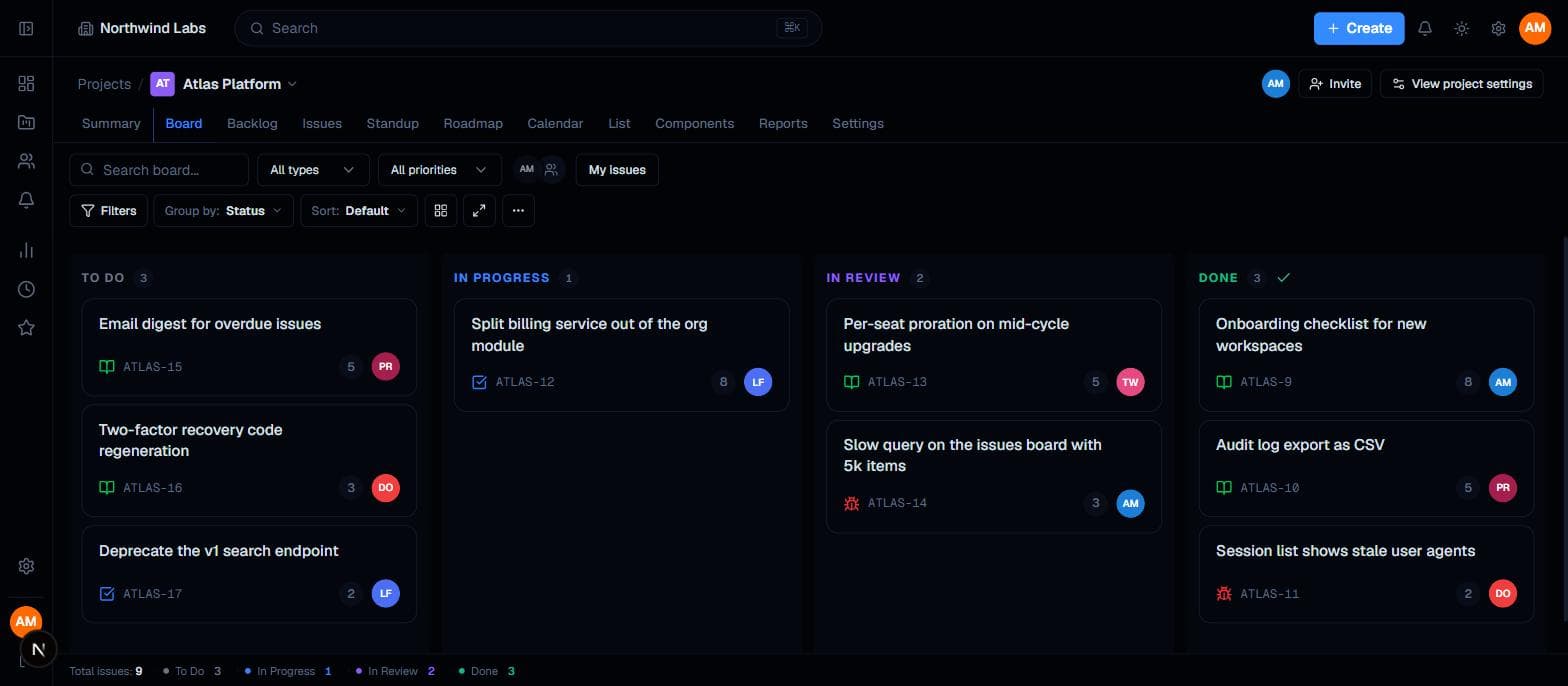
Sprint board showing To Do, In Progress, In Review and Done columns with story points and assignee avatars
Scrum board mid-sprint, with story points and WIP visible per column.
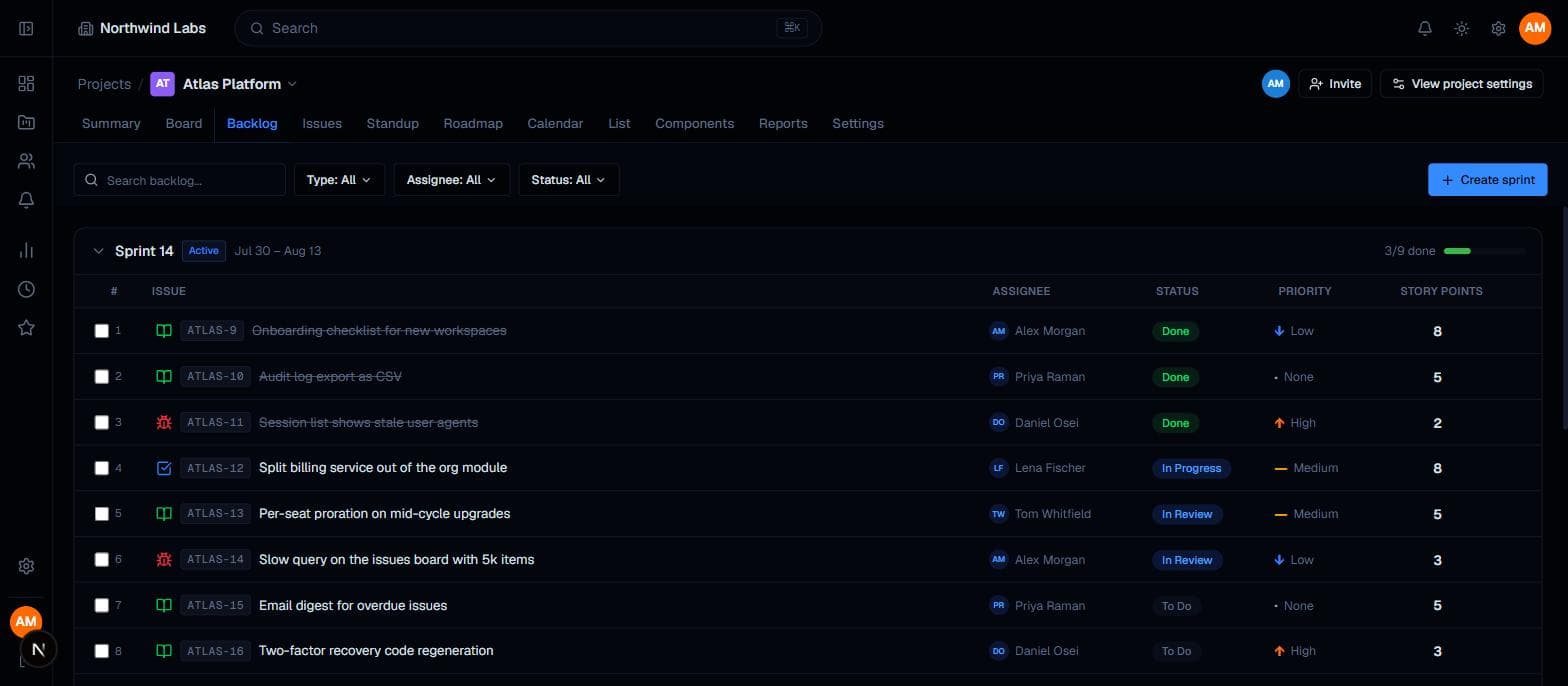
Backlog view listing sprint issues with assignee, status, priority and story points
Ranked backlog with the active sprint, its dates and completion at the top.
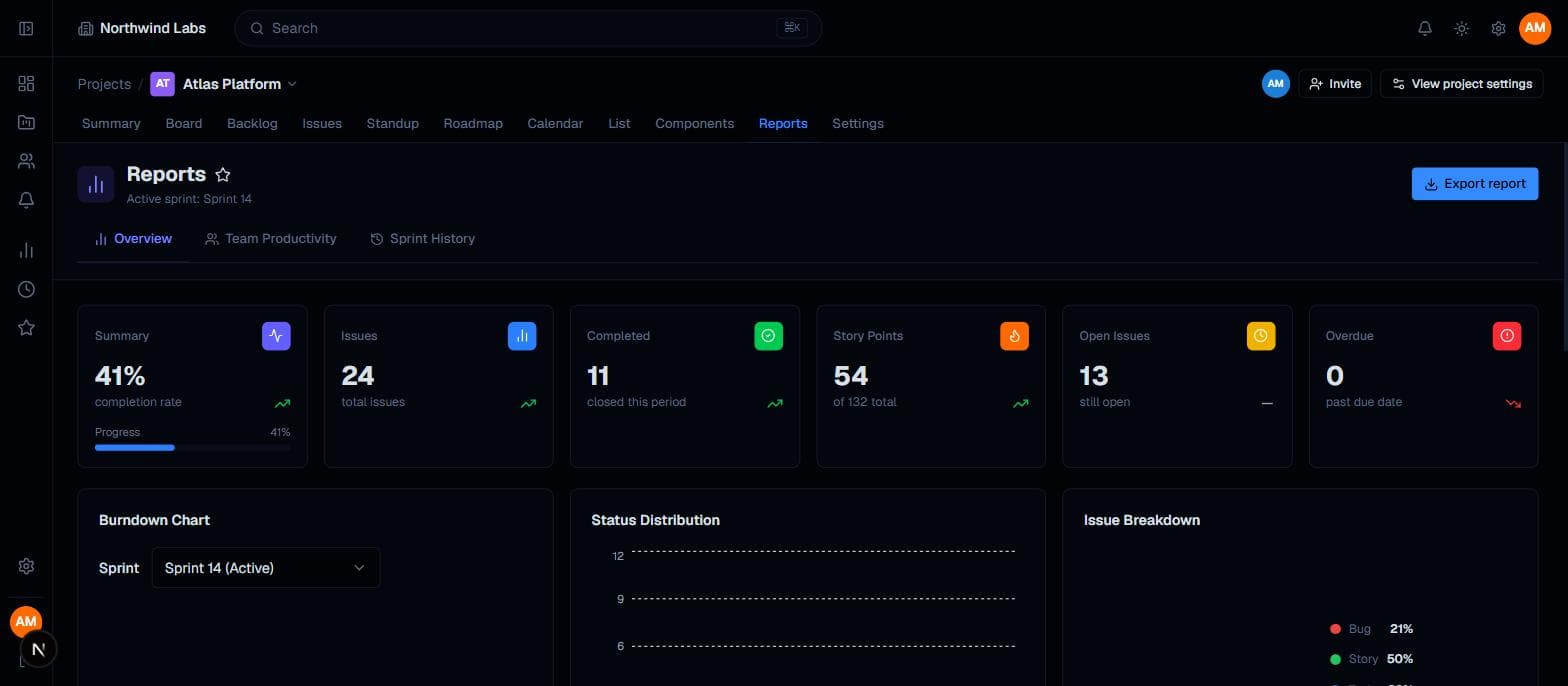
Reports overview with completion rate, issue counts, story points and open issues
Delivery reporting generated from the work itself — nothing to assemble.
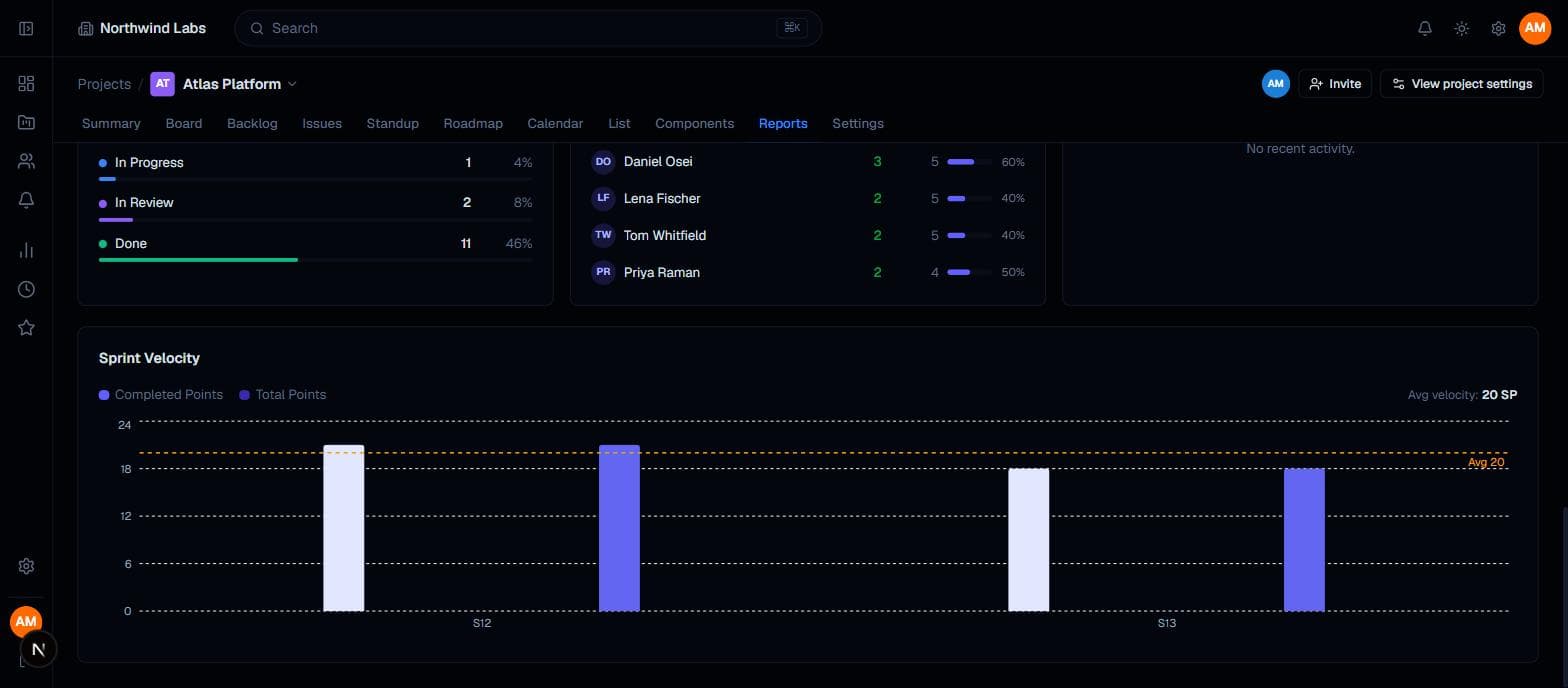
Sprint velocity chart comparing completed and total points across sprints with an average line
Velocity across completed sprints, with the rolling average marked.
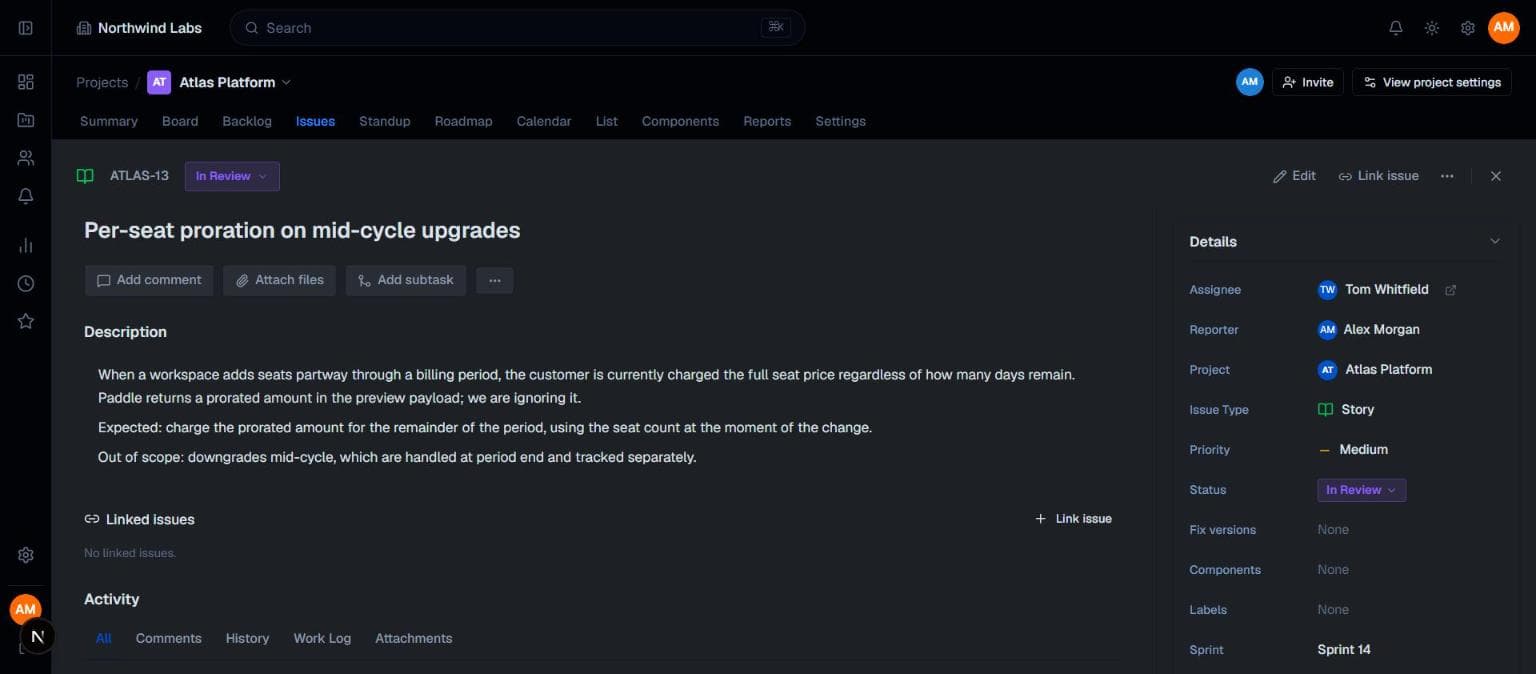
Issue detail view showing description, status, assignee, reporter, priority and sprint
Issue detail: description, estimates and every field on one screen.
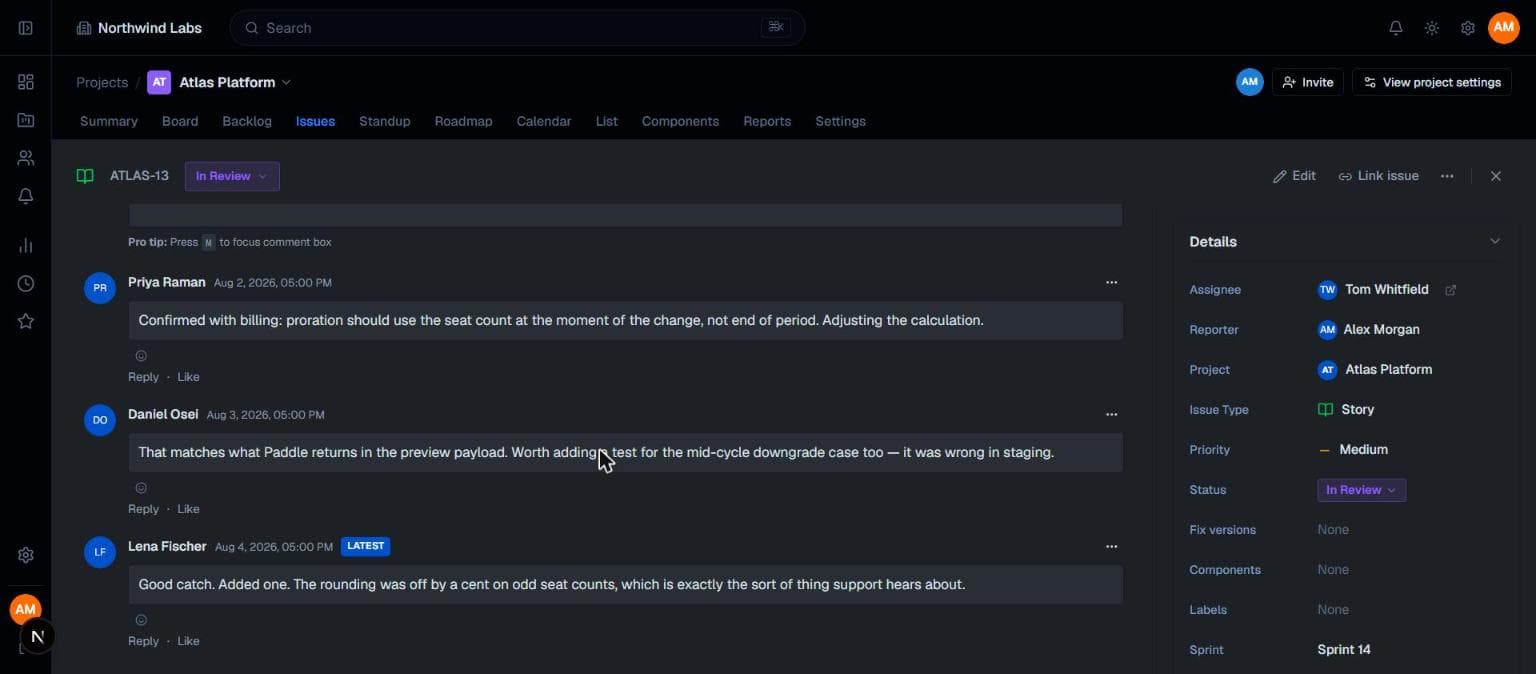
Comment thread on an issue with three teammates discussing an implementation detail
Discussion attached to the work, so context survives the week.

Move your team over this week

Create a project, pick your statuses, and have your first sprint running the same afternoon.

Cancel any time · Export your data whenever you like